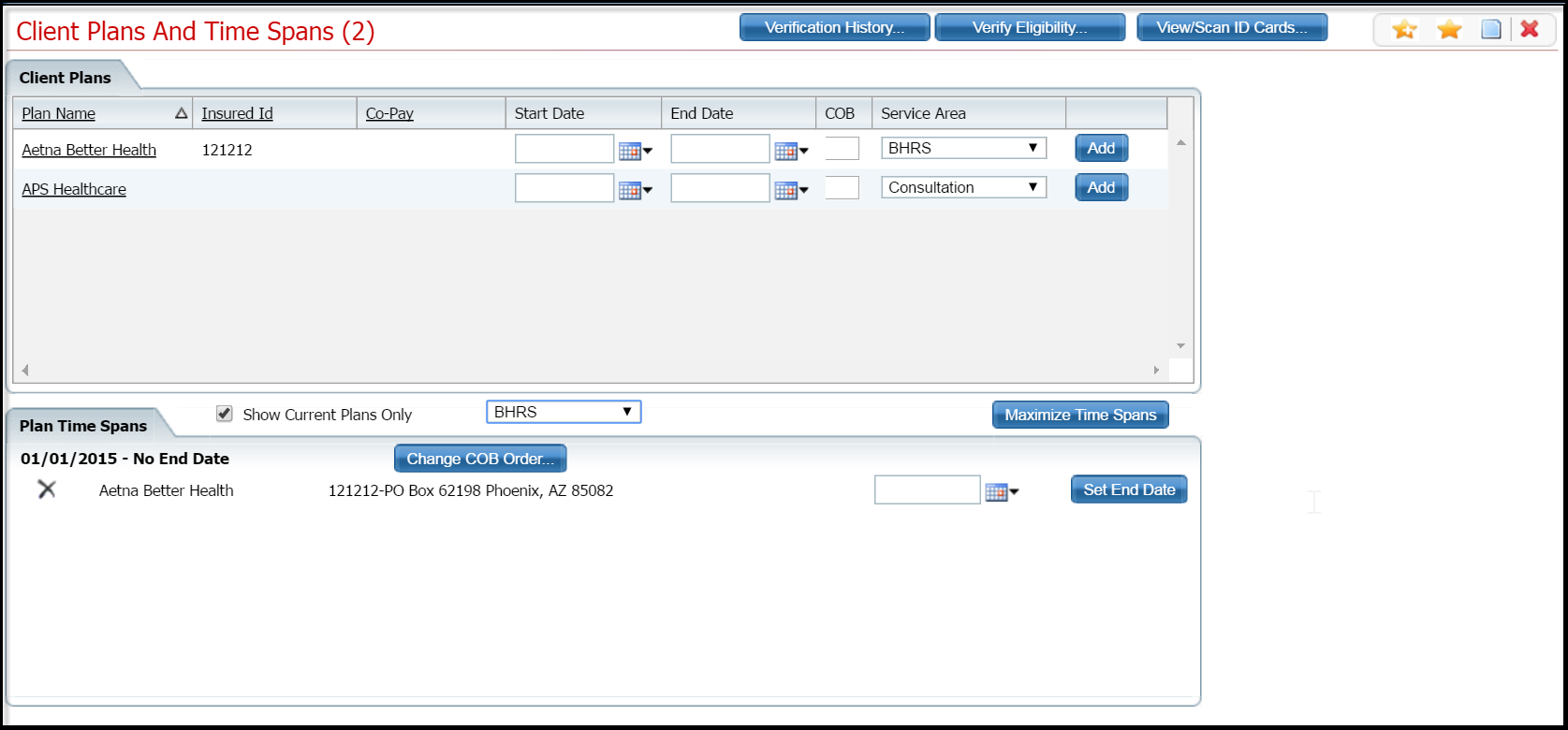
When a client has more than one insurance plan, the plans are billed in a specific order which is called coordination of benefits (COB). To indicate the order in which the plans should be billed, you assign a sequence number to each plan to indicate the order 1 through ##. When you apply the COB, the system then displays the plans in numerical order which indicates what order the plans are billed in.
Make sure the Client Plans and Time Spans list page is displayed. Tell me how... View field definitions.
In the Plan Time Spans section of the Client Plans and Time Spans list page, click the Change COB Order button for the time span you want to change.
The COB Order window is displayed.
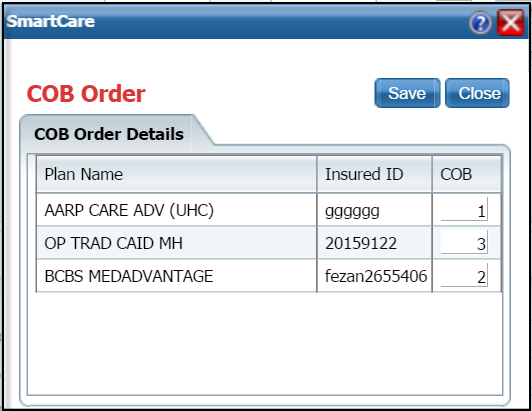
Type numbers in the COB column to change the order of the plans. Type 1 through ## to define the sequence of billing.
Click the Save button when you are done.
The system lists the plans in the window in the numerical order that you defined.
Click the Close button to return to the Client Plans and Time Spans list page for the client.
The records are displayed in the new sequence in the Plan Time Spans section.
Why can't I access these screens?