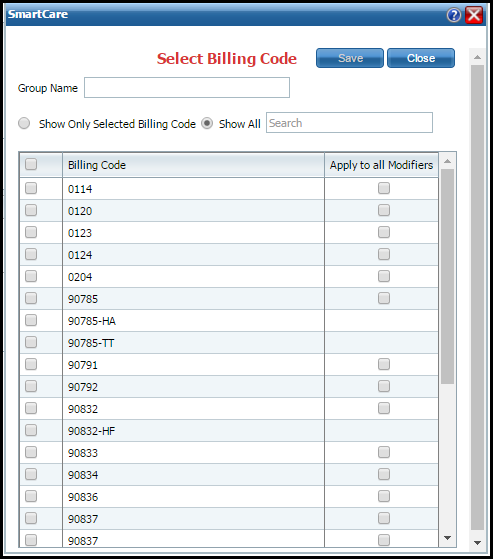
Use this task to select a billing code(s) on the Billing Code Exchange tab. This allows you to define specific claim billings codes that can use the billing codes set up on the Billing Code Exchange tab interchangeably.
On the Billing Code Exchange tab on the Billing Code Details page, click the Claim Billing Codes button.
The Select Billing Code window is displayed. View field definitions.
In the Group Name field, type a name for the group of billing codes you are choosing.
Select the check box next to the billing code(s) you want to include for this interchangeable billing code.
-or-
Click the check box in the title bar next to the Billing Code title to select all listed billing codes..
Select the Apply to all Modifiers check box for those billing codes that can be used with all modifiers set up on the exchange billing code.
Click the Save button.
Click the Close button.